

Real Estate Security Systems: Choosing, Installing, and Maintaining Effective Property Protection
Introduction: Why Every Real Estate Owner Needs a Security System
Security is a top priority for real estate owners, whether you manage a single-family rental, a multifamily complex, or commercial property. Effective security systems protect not only the physical structure but also the people, assets, and reputation tied to your investment. With property crime and break-in techniques evolving, outdated or inadequate security leaves you vulnerable to loss, liability, and tenant dissatisfaction. Yet, the real estate security market is crowded with options—wired and wireless alarms, smart cameras, access controls, and integrated platforms—making the right choice far from obvious. This guide delivers a clear, step-by-step approach to selecting, installing, and maintaining a security system that fits your property’s unique needs, budget, and compliance requirements. You’ll gain practical insight into essential components, cost breakdowns, legal obligations, and ongoing best practices to ensure your investment remains protected for years to come.
Understanding Real Estate Security System Options
Wired vs. Wireless Systems
Security systems fall into two broad categories: wired and wireless. Wired systems offer high reliability and resistance to signal interference, making them ideal for large or permanent installations. However, installation can be invasive and costly, especially in existing buildings. Wireless systems are easier to install and flexible for expansion or relocation, but may require regular battery replacements and can be vulnerable to signal jamming if not properly configured.
- Wired systems: Best for new builds, large commercial spaces, or when a permanent solution is preferred.
- Wireless systems: Suited for retrofits, short-term rentals, or properties where drilling is impractical or prohibited.
Core Components of a Security System
- Control Panel: The central hub that communicates with all components.
- Sensors: Door/window contacts, motion detectors, glass-break sensors, and environmental sensors (smoke, CO, flood).
- Cameras: Indoor and outdoor, wired or wireless, with varying resolutions and night-vision capabilities.
- Alarms and Sirens: Audible alerts to deter intruders and notify occupants.
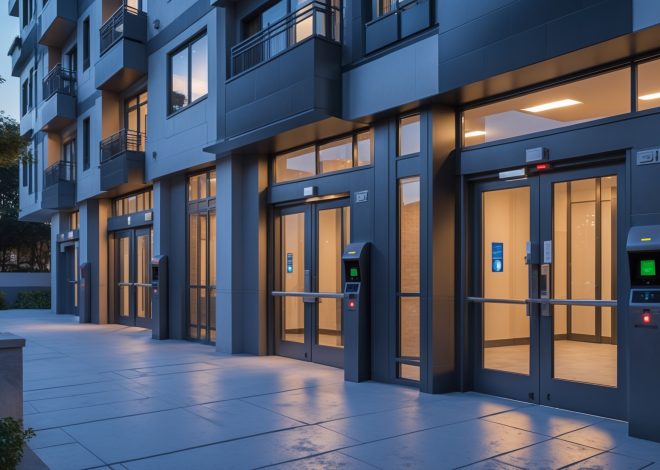
- Access Control: Keypads, biometric readers, smart locks, and intercoms for controlled entry.
- Monitoring: Options include self-monitoring via mobile apps or professional 24/7 monitoring services with emergency dispatch.
Smart Home Integration
Modern security systems often integrate with other smart home devices—thermostats, lighting, doorbells—to create a unified, easily managed environment. Ensure compatibility between your chosen system and any existing or planned smart devices.
Assessing Security Needs: A Property-Specific Approach
Risk Assessment
Start with a thorough risk assessment. Identify all entry points, poorly lit areas, blind spots, and potential vulnerabilities. Consider crime rates in your area, recent incidents, and the nature of your tenants or visitors. Multifamily and commercial properties may require advanced features like elevator controls or panic buttons, while single-family homes may benefit from perimeter sensors and driveway cameras.
Defining Security Goals
- Prevent unauthorized entry
- Protect residents, tenants, or staff
- Monitor vacant or remote areas
- Comply with insurance or local regulations
- Enable rapid response to emergencies
Write out your specific goals to guide system selection and configuration.
Cost Breakdown and Budgeting for Security Systems
Initial Equipment and Installation Costs
Security system costs can vary widely based on size, complexity, and technology. Here’s a sample breakdown:
- Basic wireless kit: $200–$500 (includes control panel, 2-4 sensors, basic camera)
- Comprehensive system (residential): $800–$2,500 (includes multiple sensors, several cameras, smart locks, sirens, app integration)
- Commercial/multifamily system: $3,000–$15,000+ (includes access control, surveillance suite, advanced monitoring, remote management)
- Professional installation: $300–$2,000+ (varies by system size and property layout)
Ongoing Costs
- Professional monitoring: $15–$60/month, depending on provider and features
- Maintenance: $100–$500/year for battery replacements, inspections, updates, and repairs
- Cloud storage (for video): $5–$30/month per camera or bundled with monitoring
Factor these recurring costs into your property’s operating budget for accurate ROI analysis.
Compliance and Legal Considerations
Local Ordinances and Permits
Many municipalities require permits for alarm systems, especially those connected to emergency services. Fines for false alarms or unregistered systems can be substantial. Check local codes regarding camera placement, surveillance signage, and privacy laws. Some areas restrict recording in certain locations (e.g., bathrooms, shared hallways) or require tenant notification.
Insurance Requirements
Some insurance policies mandate specific security measures for coverage—such as monitored alarms, deadbolts, or video surveillance. Consult your insurer before selecting a system to ensure compliance and maximize premium discounts.
Tenant and Privacy Rights
- Notification: Tenants must be informed of surveillance equipment in common areas.
- Consent: Recording inside units typically requires written consent or is outright prohibited.
- Data storage: Secure storage and limited access to recorded footage protect against liability.
Consult a real estate attorney or property management expert for complex situations.
Step-by-Step Installation Guide
1. Planning and Layout
Map your property and mark all entrances, windows, and vulnerable areas. Determine ideal locations for sensors and cameras—prioritize main access points and areas out of public view. Consider weatherproofing and power sources for outdoor components.
2. Purchasing Equipment
Source equipment from reputable vendors. Avoid generic, unbranded kits as they may lack support, updates, or compatibility. Look for systems with strong encryption and regular firmware updates.
3. Installation Process
- Control Panel: Install in a secure but accessible location, away from obvious entry points.
- Sensors: Affix door/window contacts and motion detectors according to manufacturer recommendations—test range and sensitivity.
- Cameras: Mount at 7–9 feet height for optimal coverage. Angle cameras to avoid glare, blind spots, and neighbor property lines (for privacy).
- Access Controls: Replace or retrofit locks, keypads, or card readers. Test entry and lockout features.
- Alarms and Sirens: Install where audible alerts will be most effective—often near main entrances and living areas.
Follow all wiring and mounting safety guidelines. For large or complex systems, professional installers are recommended to ensure compliance and reliability.
4. System Configuration
Program user codes, set up zones for different property areas, and customize alert settings (entry/exit delays, silent alarms, etc.). For smart systems, connect to your Wi-Fi and test mobile app functionality.
5. Testing and Verification
- Test each sensor and camera individually.
- Trigger alarms to ensure proper notification and emergency response.
- Review video feeds for clarity and coverage.
- Simulate false alarms to verify system reset and local authority notification procedures.
Ongoing Maintenance and Best Practices
Regular Inspections
Schedule quarterly inspections to test all system components, replace batteries, clean camera lenses, and check for signs of tampering or damage. Document each inspection in your property maintenance log.
Software and Firmware Updates
Manufacturers regularly release updates to patch vulnerabilities and improve performance. Enable automatic updates where possible, or set reminders to check monthly.
Data Security and Backups
Secure access to system controls with strong passwords and two-factor authentication. Regularly back up footage to secure cloud storage or encrypted local drives. Limit access to authorized users only.
Responding to Incidents
- Establish clear protocols for responding to alarms or detected activity—who is notified, who has authority to access footage, and how law enforcement is contacted.
- Train property staff and tenants (where appropriate) on system use and emergency procedures.
Upgrading and Expanding Your Security System
When to Upgrade
Consider upgrades if your property undergoes renovation, expansion, or change in occupancy. Technological advancements—such as AI-powered analytics, thermal imaging, or remote access controls—can further enhance protection and convenience.
Scalability
Choose systems that allow for easy addition of sensors, cameras, or access points. Cloud-based management platforms are ideal for portfolios or multi-site owners, offering centralized control and monitoring.
Case Study: Implementing Security in a Multifamily Building
Consider a 12-unit apartment building in an urban area with moderate crime rates. The property owner conducted a risk assessment and identified the following vulnerabilities: unauthorized access through the rear entrance, package theft in the lobby, and insufficient lighting in the parking lot.
- Solution: Installed a wireless security system with monitored alarms, four outdoor cameras covering all entrances, a smart intercom system, and motion-activated lighting in communal areas.
- Cost: Total investment of $6,500 (equipment and installation), plus $45/month for professional monitoring.
- Outcome: Within six months, the building saw a 70% reduction in reported security incidents. Tenant satisfaction scores improved, and the owner secured a 10% reduction in insurance premiums.
This case highlights the ROI and tenant retention benefits of a well-planned security installation.
Common Myths About Property Security Systems
- Myth: “Security systems are only for high-crime areas.”
Reality: Break-ins and vandalism can happen anywhere. A visible security system deters opportunistic criminals, regardless of location. - Myth: “DIY systems are always cheaper and as effective.”
Reality: DIY kits may lack professional monitoring, advanced features, and robust support, leading to gaps in protection. - Myth: “Cameras alone are enough.”
Reality: Cameras deter crime but work best as part of a comprehensive system with alarms, access controls, and monitoring.
Conclusion: Investing in Peace of Mind and Property Value
A well-designed and properly maintained security system is one of the smartest investments a real estate owner can make. Beyond deterring theft and vandalism, modern systems help you comply with legal requirements, reduce insurance costs, and enhance tenant confidence. The right solution is tailored to your property’s unique layout, risk profile, and occupancy patterns—there’s no one-size-fits-all approach. By following the steps outlined in this guide, from risk assessment and budgeting to installation and ongoing maintenance, you’ll ensure your property is protected today and prepared for the challenges of tomorrow.
Remember, effective security is not a one-time project, but an ongoing commitment. Regularly review your system’s performance, stay up to date on new technology, and adapt as your property evolves. The peace of mind you gain—and the value you add to your real estate asset—will far outweigh the initial investment. Whether you self-manage a single unit or oversee a broad portfolio, proactive security management sets you apart as a responsible, forward-thinking property owner in today’s competitive real estate market.
14 thoughts on “Real Estate Security Systems: Choosing, Installing, and Maintaining Effective Property Protection”
Leave a Reply

I’m trying to decide between wired and wireless systems for an older multifamily property I manage. Are there any specific issues I should look out for during installation to avoid damaging existing walls, or tips for minimizing tenant disruption?
For older multifamily properties, wireless systems are generally less invasive, as they avoid the need to run wires through existing walls, reducing potential damage. If you consider a wired system, try to use existing conduits or run cables along baseboards to minimize disruption. Scheduling installation during daytime hours with advance notice to tenants and coordinating access can also help minimize inconvenience. Whichever system you choose, communicating clearly with tenants about the schedule and any temporary impacts will go a long way toward a smooth process.
You mention cost breakdowns, but what is a realistic budget range for installing a basic security package in a small commercial property, including both equipment and monitoring fees?
For a small commercial property, a basic security package typically ranges from $500 to $1,500 for equipment such as cameras, sensors, and a control panel. Professional installation can add $300 to $800 depending on complexity. Monthly monitoring fees usually fall between $30 and $60. So, you should expect an initial outlay of about $800 to $2,300, plus ongoing monitoring costs.
For maintenance, what are the most common issues to watch for with sensors and control panels, especially for someone who doesn’t have much technical experience with these systems?
With sensors, common issues include dust or debris blocking motion detectors, low batteries in wireless sensors, and misalignment of door/window contacts. For control panels, you might encounter unresponsive keypads, error messages, or trouble alerts if there’s a wiring or connection problem. Checking batteries regularly, keeping sensors clean, and making sure nothing physically blocks or damages components can help. If an issue persists, contacting your system’s support team is a good idea.
For someone managing multiple rental units in different buildings, how would you recommend balancing the higher upfront cost of wired systems with the flexibility offered by wireless options?
For managing multiple rental units, wireless security systems may offer the flexibility you need, especially when units are in different buildings. They’re easier and quicker to install and move as tenants change. However, for high-traffic or permanent locations, a wired system’s reliability can be worth the higher upfront cost. You might consider a hybrid approach: wired systems for main entry points or common areas, and wireless for individual units where flexibility is a priority.
How do I know if my property is subject to any special legal obligations when it comes to installing cameras or other monitoring devices? The article mentions compliance requirements, and I want to make sure I’m not missing something important.
To determine if your property has specific legal obligations regarding surveillance devices, start by checking local, state, and federal laws, as these can vary depending on your property’s location and type. If you’re in an apartment building, HOA, or commercial complex, review any association bylaws or lease agreements for additional rules. Consulting a qualified legal professional or your property manager can also help clarify any unique requirements for your situation.
If I decide on a wireless system for my short-term rental, how difficult is it to maintain over time? I’m especially concerned about having to frequently replace batteries or deal with issues when I’m not physically near the property.
Wireless security systems are generally low-maintenance, but they do require periodic battery changes—typically every 6 to 24 months depending on the device. Many modern systems offer remote monitoring and will send alerts when batteries are low or issues arise, so you can coordinate maintenance without being onsite. Choosing high-quality equipment and setting up notifications can help minimize surprises and make remote management easier.
You mention ongoing maintenance—what are some typical recurring costs or issues I should be aware of if I choose a wireless security system for a multifamily building?
For a wireless security system in a multifamily building, recurring costs often include battery replacements for sensors and cameras, regular software or firmware updates, and possible monthly monitoring fees if you use a professional service. Common issues can be signal interference from thick walls or other wireless devices, and ensuring all components stay connected to the central hub. Planning for periodic inspections can help prevent unexpected downtime.