

Real Estate Security Systems: Compliance, Cost, and Setup for Property Owners
Introduction: Why Security Systems Matter for Real Estate Owners
Security is no longer a luxury—it’s a core requirement for any property owner, whether you manage residential rentals, own commercial buildings, or oversee multifamily complexes. In today’s real estate landscape, tenants and buyers expect robust security features as a standard amenity. Equally important, compliance with local regulations and insurance requirements has made security systems an essential investment for property owners. But what does it really take to choose, budget for, and implement a modern security system that meets compliance, keeps costs under control, and adds value to your property portfolio?
This comprehensive guide covers everything you need to know about real estate security systems: from understanding regulatory compliance and insurance implications, to breaking down costs, selecting the right tools, and executing a step-by-step setup. We’ll also provide a security compliance checklist and offer practical maintenance strategies to ensure long-term performance. If you want to avoid costly mistakes and maximize your return on investment, read on for expert advice tailored to the unique needs of property owners and managers.
Understanding Compliance: Security System Regulations for Real Estate
Local Laws and Permits
Before investing in a security system, research local regulations governing installation and use. Many municipalities require permits for alarm systems and may restrict the placement of cameras, especially in multifamily or commercial properties. Common requirements include:
- Alarm System Permits: Often required to register monitored alarm systems with local police or fire departments.
- Camera Placement Restrictions: Cameras cannot invade private spaces (e.g., bathrooms, locker rooms, inside residential units) and may be subject to signage requirements.
- Building Codes: New construction or major renovations may require security wiring to meet code.
State and Federal Requirements
Certain states set privacy standards for video and audio surveillance. Federal law, such as the Wiretap Act, prohibits recording audio without consent in many situations. Key items to consider:
- Consent Laws: Some states require one or all parties to consent to audio recording.
- Data Storage: Laws governing how long footage can be stored and how it must be protected, especially for commercial properties.
HOA and Lease Agreement Considerations
Homeowners associations may have additional rules regarding the appearance and installation of security equipment. For landlords, modifying lease agreements to disclose the presence and use of security cameras is a best practice and may be legally required in some jurisdictions.
Insurance Implications: How Security Systems Affect Your Policy
Insurance Premiums and Discounts
Insurance providers often offer premium discounts for properties equipped with professional security systems. To qualify, systems typically must:
- Be professionally monitored (24/7 monitoring center)
- Include burglar alarms, smoke/CO detectors, and sometimes water leak sensors
- Meet installation and maintenance standards
Documentation and Claims
Proper documentation of your security system—such as installation certificates and maintenance logs—can streamline insurance claims following theft, vandalism, or other covered events. Some policies may require proof that the system was armed and operational at the time of the incident.
Coverage Exclusions
Understand your policy’s exclusions. For example, some insurers won’t cover theft if there’s evidence the system was disabled or not in use. Regularly review your policy to ensure your security setup aligns with coverage requirements.
Security System Types: Choosing the Right Solution for Your Property
Burglar Alarms
Burglar alarms detect unauthorized entry using door/window sensors, motion detectors, and glass break sensors. They are often required for insurance discounts and are a baseline security measure for most properties.
Video Surveillance (CCTV)
Modern camera systems offer cloud or local storage, high-definition footage, and remote access. Options include:
- Wired vs. Wireless: Wired systems are more reliable but require invasive installation; wireless systems are easier to set up but depend on Wi-Fi performance.
- Cloud vs. Local Storage: Cloud storage offers offsite backup but may incur ongoing fees; local storage (DVR/NVR) is a one-time investment but can be vulnerable to theft or damage.
- Smart Integrations: Many systems integrate with smart locks, lighting, and alarms for enhanced automation.
Access Control Systems
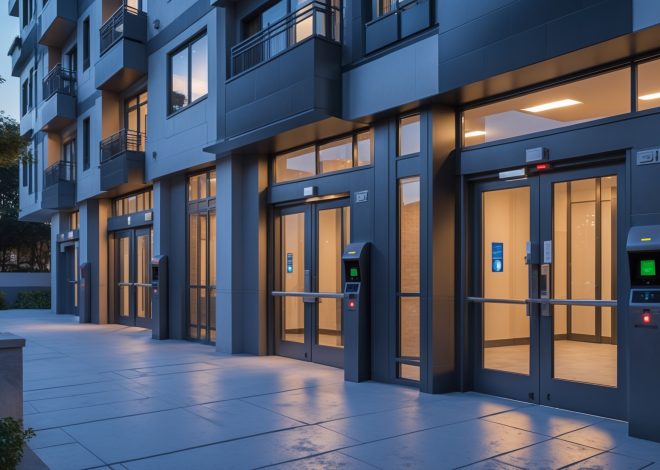
Electronic locks, keypads, and card readers allow property owners to manage who enters buildings or individual units—vital for multifamily and commercial real estate.
Environmental Sensors
Supplement your core system with devices such as smoke/CO detectors, flood/leak sensors, and temperature monitors to protect against non-criminal threats.
Cost Breakdown: Budgeting for a Real Estate Security System
Initial Hardware and Installation Costs
- Burglar Alarms: $200–$1,000 per property (self-installed) or $800–$2,500 (professionally installed)
- Camera Systems: $100–$300 per camera (hardware), plus $500–$2,000 for a full property setup
- Access Control: $150–$500 per door for smart locks; $1,000+ per door for commercial-grade systems
- Professional Installation: 10–30% of hardware costs, depending on system complexity
Ongoing Costs
- Monitoring Fees: $20–$60/month for professional 24/7 monitoring
- Cloud Storage: $5–$25/month per property or per camera, depending on service
- Maintenance: $100–$300/year for inspections, battery replacement, and software updates
Permits and Compliance Fees
- Alarm Permits: $25–$100 annually, depending on jurisdiction
- Inspection Fees: Some municipalities may require annual inspections at $50–$150 each
Insurance Premium Reductions
Premium discounts can offset costs by 5–20%, depending on insurer and system sophistication. Factor these savings into your long-term budget planning.
Essential Tools and Equipment for Security System Setup
- Drill and Mounting Hardware: For installing cameras, sensors, and control panels
- Cable Management Tools: For wired systems, use cable fish tape and conduit to ensure neat, code-compliant wiring
- Smartphone or Tablet: For configuring smart devices and monitoring apps
- Network Equipment: High-quality Wi-Fi router and switches, especially for wireless or IP-based systems
- Label Maker: For marking cables and components, aiding in future troubleshooting
- Ladder and Safety Gear: For safe installation at height
Step-by-Step Setup: Installing a Security System in Your Property
1. Assess Your Property’s Security Needs
- Identify vulnerable entry points (doors, windows, garage, basement)
- Consider common areas if managing multifamily or commercial properties
- Determine coverage zones for cameras and sensors
2. Research and Choose the Right System
- Compare monitored vs. self-monitored solutions
- Check compatibility with existing smart home features
- Read reviews and request quotes from vendors
3. Obtain Required Permits and Notify Stakeholders
- Apply for alarm system permits
- Notify tenants and update lease agreements if cameras are installed in common areas
- Post signage as required by law
4. Install Core Components
- Mount control panels near main entry points
- Install sensors on all exterior doors and accessible windows
- Place cameras to cover all high-traffic and vulnerable areas, avoiding privacy violations
- Set up access control devices (keypads, smart locks) at all main entrances
5. Connect and Configure the System
- Connect components to power and network (wired or wireless)
- Download and set up mobile/desktop monitoring apps
- Configure alerts, user permissions, and automation routines
6. Test and Document
- Test each sensor, camera, and alarm for proper function
- Document installation locations, device serial numbers, and system settings
- Provide tenants or staff with instructions, if applicable
7. Register System with Authorities and Insurance
- Complete alarm registration with local police/fire (if required)
- Submit proof of installation to your insurance provider for premium discounts
Security System Maintenance Best Practices
Routine Inspections
Schedule quarterly inspections to check battery levels, sensor alignment, camera focus, and network connections. Document all maintenance activities for compliance and insurance purposes.
Software and Firmware Updates
Regularly update firmware to patch vulnerabilities and ensure compatibility with new devices. Enable automatic updates if available.
Cleaning and Physical Upkeep
Clean camera lenses and sensor covers every few months to prevent false alarms and maintain image clarity. Inspect outdoor devices for weather or pest damage.
User Access Review
Update user access lists when tenants move out or staff changes. Revoke credentials for former users to maintain system integrity.
Security Compliance Checklist for Property Owners
- Obtain and renew all required alarm and camera permits
- Comply with camera placement and signage laws
- Document tenant notification and consent as needed
- Maintain up-to-date system documentation
- Schedule and log regular inspections and maintenance
- Review insurance policy alignment annually
Maximizing ROI: Security as a Value-Add for Real Estate
Attracting Quality Tenants and Buyers
Properties with visible, modern security features tend to attract higher-quality tenants and buyers, command premium rents, and reduce vacancy rates. Highlight security systems in listings and tours to differentiate your property.
Reducing Liability and Losses
Effective security systems minimize the risk of break-ins, vandalism, and liability claims, directly improving your bottom line. They can also expedite insurance claims and reduce out-of-pocket expenses after an incident.
Future-Proofing Investments
Invest in scalable, upgradable systems. As technology evolves, you can add new features—such as remote access, license plate recognition, or advanced analytics—without a full system overhaul.
Conclusion: Smart Security Systems—A Real Estate Essential
Security systems have rapidly evolved from optional add-ons to critical infrastructure for real estate properties of all types. By understanding compliance requirements, budgeting smartly, and selecting the right mix of tools, property owners can not only protect their investments but also enhance property value, attract and retain desirable tenants, and reduce insurance costs. The up-front investment in a robust security system pays dividends through reduced liability, streamlined claims, and peace of mind for both owners and occupants.
Remember, the process doesn’t end with installation. Regular maintenance, ongoing compliance checks, and periodic upgrades are essential to keep your security system effective and insurance-compliant. Stay proactive—review local laws annually, document all procedures, and communicate clearly with tenants or users. Whether you’re managing a single-family rental or a large commercial complex, a well-designed security system is one of the smartest investments you can make in your property’s long-term success.
Take the time to plan thoroughly, choose reputable vendors, and commit to ongoing care. In a security-conscious world, your efforts will be rewarded with safer, more attractive, and more profitable properties.
22 thoughts on “Real Estate Security Systems: Compliance, Cost, and Setup for Property Owners”
Leave a Reply

I’m just starting to look into security options for my first rental property. The article mentions alarm system permits and camera placement rules, but how do I actually find out which specific permits or restrictions apply to my city or county?
To find out exactly which permits or camera placement rules apply in your city or county, start by contacting your local city hall or county office. They can direct you to the appropriate building, permitting, or police department. Many municipalities also post their security system regulations and application forms online, so searching your city or county website for ‘alarm permits’ or ‘security camera regulations’ can be very helpful.
When setting up compliance-friendly camera systems, how do I ensure I’m not crossing any lines regarding privacy, especially in multifamily complexes? Are there specific guidelines I should follow about signage or placement?
To respect privacy in multifamily complexes, avoid placing cameras in private areas like inside units, bathrooms, or spaces where residents expect privacy. Focus on common areas like entrances, hallways, and parking lots. Clear signage is important—post notices in areas under surveillance so residents know about the cameras. Always check local and state laws, as they may have specific requirements on camera placement and notification.
What would be the best approach for a property owner with both single-family homes and a small commercial space when it comes to choosing security tools? Is it better to look for one system that fits all or different setups for each property type?
For a property owner managing both single-family homes and a small commercial space, a hybrid approach often works best. Residential and commercial spaces have different security needs. Single-family homes might just need basic alarms and cameras, while commercial spaces often require more advanced access control or monitoring. Look for a security provider that offers both types of solutions and can integrate them onto one platform for easier management, but tailor the equipment and features to each property’s unique requirements.
When it comes to camera placement restrictions in multifamily properties, how do you recommend balancing effective coverage of common areas with respecting tenant privacy? Are there any best practices or signage tips to stay compliant with local rules?
To balance security and privacy in multifamily properties, focus cameras only on common areas like entrances, hallways, and parking lots, avoiding views into private units or windows. Post clear signage at all monitored areas to inform tenants of surveillance. Check local laws, as some regions require written notice or restrict audio recording. Regularly review camera placement policies to ensure continued compliance and respect for tenant privacy.
I noticed you mentioned alarm system permits and local regulations, but how do you find out the specific permit requirements in smaller towns or counties? Are there online resources or do you usually need to visit local offices to get this info as a property owner?
To find permit requirements in smaller towns or counties, start by checking the official website of your local government or sheriff’s office, as many now list permit details online. If you can’t find the information there, a quick call or visit to your town hall or local police department is usually the fastest way to get accurate details for your area.
The article briefly mentions signage requirements for surveillance cameras. Can you clarify what types of signs are typically required, and does this vary a lot state by state or even city by city?
Signage requirements for surveillance cameras often include clearly visible notices informing people that video recording is taking place. The wording and placement can differ, but signs should generally be easy to see at entrances or monitored areas. Yes, requirements can vary significantly depending on state and even local city laws, so it’s important to check both state and municipal regulations where your property is located to ensure compliance.
If I’m upgrading my existing security setup during a major renovation, what building code updates should I watch out for to make sure all my security wiring is compliant?
When upgrading your security system during a renovation, pay close attention to updates in local and national electrical codes, such as NEC standards, which often affect cable types, conduit requirements, and placement. Also, check for new low-voltage wiring rules and fire safety integration standards. Consulting your municipality for the latest code revisions and having a licensed electrician review your plans is the safest way to ensure compliance.
I see that local regulations might require alarm system permits and limit camera placements, especially for multifamily buildings. How do property owners typically keep up with changing compliance rules over time? Is there an easy way to stay updated on permit requirements and avoid accidental violations?
Property owners often stay current by subscribing to updates from their local government or regulatory bodies, joining landlord or property management associations, and regularly checking city or county websites for changes in security system rules. Setting calendar reminders to review local codes annually also helps. Consulting with local security professionals, who keep track of compliance trends, is another effective way to ensure ongoing adherence to permit and camera placement regulations.
The article talks about camera placement restrictions, especially regarding privacy. If I want to install cameras in common areas of a small apartment complex, what steps should I take to make sure I’m not violating any of these rules?
To ensure compliance when installing cameras in common areas of your apartment complex, place cameras only in public spaces like entrances, hallways, and parking lots—never in private areas such as inside apartments, bathrooms, or individual balconies. Check local and state laws regarding video surveillance, inform tenants about camera locations, and post visible notices. Keeping documentation of your compliance efforts can also be helpful.
When budgeting for a new security system that meets both insurance and compliance standards, what are some cost-saving strategies property owners can consider without compromising quality?
To save on costs while meeting insurance and compliance standards, consider bundling monitoring services, comparing quotes from multiple vendors, and choosing scalable systems that can be upgraded over time. Opt for essential features that satisfy requirements rather than premium add-ons, and look for discounts based on property size or number of units. Installing wireless systems can also reduce labor costs.
What happens if you install a security system without checking local regulations first? Are there fines or penalties, and how hard is it to resolve any compliance violations after the fact?
If you install a security system without checking local regulations, you could face fines, legal penalties, or be required to remove or modify the system. The exact consequences depend on your area’s laws. Resolving violations can involve paperwork, inspections, or costly adjustments. It’s often more complicated and expensive to fix issues after the fact than to ensure compliance before installation.