

Real Estate Security Systems: Budgeting, Compliance, and Effective Installation Strategies
Introduction: Why Security Systems Matter in Real Estate
Security systems have evolved from luxury add-ons to essential features for both residential and commercial properties. In the real estate world, a robust security system not only safeguards your investment from theft, vandalism, and liability—but also enhances property value, marketability, and peace of mind for owners and tenants alike. As crime rates and insurance requirements shift, security is no longer a matter of “if” but “how well” your property is protected. However, installing a security system goes beyond just picking the latest gadgets. It involves understanding local regulations, accurately budgeting for both upfront and ongoing costs, and making smart choices about installation and maintenance to ensure long-term effectiveness. This comprehensive guide will walk you through the real-world essentials of integrating security systems into your property—covering budgeting, regulatory compliance, effective technology selection, installation best practices, and maintenance strategies. Whether you’re a first-time landlord, a seasoned investor, or managing your own home, these insights will help you make informed, practical decisions that keep your property safe and your investment secure.
Understanding the Types of Real Estate Security Systems
1. Monitored vs. Unmonitored Systems
Monitored systems are connected to a central station or security company that responds to alerts and contacts authorities if necessary. Unmonitored systems rely on loud alarms or mobile notifications to deter intruders, but action is up to the property owner or occupants.
- Monitored: Higher ongoing costs, professional response, may lower insurance premiums.
- Unmonitored: Lower cost, no monthly fees, requires owner vigilance.
2. Wired vs. Wireless Systems
Wired systems use physical cables and are often more reliable but require professional installation and may be disruptive to retrofit. Wireless systems are easier to install, flexible, and can be relocated or upgraded more easily.
- Wired: Suitable for new builds or major renovations.
- Wireless: Ideal for existing properties, rental units, or temporary setups.
3. Key Components
- Security Cameras: Indoor/outdoor, wired/wireless, motion-activated, with night vision and cloud storage options.
- Alarm Systems: Door/window sensors, glass break detectors, sirens.
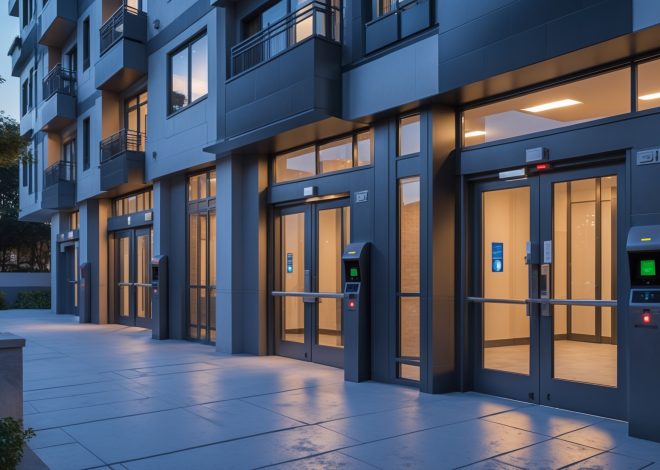
- Access Control: Smart locks, keypads, card readers, intercoms.
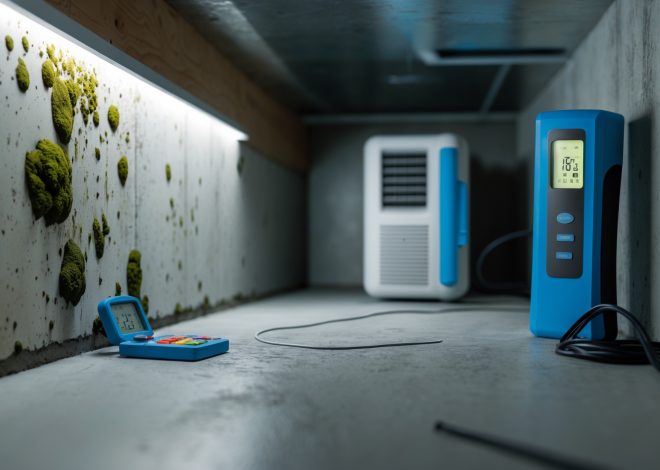
- Environmental Sensors: Smoke, carbon monoxide, water leak, and temperature monitoring for property protection.
- Lighting and Automation: Motion-sensor lights, remote controls, integration with smart home systems.
Budgeting for Security System Installation and Upkeep
1. Upfront Costs: What to Expect
The initial investment varies based on the system’s sophistication, property size, and whether you choose DIY or professional installation.
- Basic DIY wireless kit: $200–$600 (suitable for small homes or apartments).
- Mid-level professionally installed: $800–$2,500 (includes cameras, sensors, alarms for medium-sized properties).
- Advanced commercial-grade system: $3,000–$10,000+ (multiple zones, integrated access, video monitoring, environmental sensors).
2. Ongoing Costs
- Monitoring fees: $15–$60/month for 24/7 professional monitoring.
- Cloud storage subscriptions: $5–$30/month per camera, depending on service provider and retention period.
- Maintenance and repairs: $100–$500/year depending on system complexity and age.
3. Hidden and Indirect Costs
- Permit fees: Some municipalities require alarm permits ($25–$100/year).
- Insurance discounts: Installing a certified system may reduce your property insurance premium by 5–15%—a valuable offset.
- False alarm fines: Repeated false alarms can incur city fines ($50–$300 per incident in some regions).
4. Creating a Realistic Security Budget
For most property owners, a balanced approach works best—prioritize high-risk entry points, select a reputable monitoring service, and budget for upgrades as your needs evolve. Always factor in both installation and at least 3 years of operational costs when comparing options.
Navigating Security System Compliance and Legal Considerations
1. Local and State Regulations
Security system installation may be subject to local ordinances. Check with your municipality or county for:
- Required alarm permits/registrations
- Audio/video recording laws (especially regarding cameras facing public areas or shared spaces)
- Restrictions on outdoor camera placement and signage
- Requirements for professional installation or licensed technicians
2. Privacy and Tenant Rights
If you own rental or multifamily property, respect tenant privacy. Laws typically prohibit cameras in private areas (bedrooms, bathrooms, inside apartments). Always disclose surveillance in lease agreements, and post clear signage in common areas.
3. Insurance and Liability
Ensure your security system meets your insurance company’s criteria. Some policies require UL-listed equipment or professional monitoring for burglary/theft coverage. Document installation and keep records of maintenance and upgrades for claims.
4. Homeowners Associations (HOAs)
For properties under HOA governance, review community rules. Some HOAs restrict external cameras, fence-mounted devices, or require uniformity in visible equipment. Obtain written approvals if necessary.
Planning and Designing Your Security System
1. Risk Assessment and Site Survey
Start with a thorough walk-through of the property. Identify:
- All entry points (doors, windows, gates)
- Blind spots and poorly-lit areas
- High-value targets (safes, garages, storage units)
- Areas with a history of break-ins or vandalism
Consult local crime maps and recent incident reports for data-driven placement.
2. Selecting the Right Equipment
- Cameras: Choose weatherproof models for outdoors, wide-angle for large areas, and high-resolution for identification. Consider models with built-in night vision and remote streaming.
- Alarms: Opt for tamper-proof sensors and backup batteries for power outages.
- Access control: Smart locks are ideal for short-term rentals; keypads or fobs for multi-unit dwellings.
- Integration: Systems compatible with smart home platforms (e.g., Alexa, Google Home) offer added convenience but may require extra configuration and security precautions.
3. Placement Strategies
- Mount cameras at least 8–10 feet high for optimal coverage without being easily tampered with.
- Cover all approach paths, driveways, and rear access points.
- Supplement with motion-sensor lighting to deter intruders and improve video quality at night.
- Test Wi-Fi signal strength at each device location before installation to avoid dead spots.
Step-by-Step Installation: Best Practices
1. DIY vs. Professional Installation
- DIY: Suited for basic wireless systems, apartments, or small homes. Follow manufacturer instructions, double-check power and connectivity, and test each device thoroughly.
- Professional: Necessary for large, complex, or wired systems. Licensed installers ensure compliance and system reliability, and may offer warranties or support packages.
2. Pre-Installation Checklist
- Inventory all equipment and accessories before starting.
- Charge or install backup batteries for wireless devices.
- Download and test all required mobile apps or software.
- Verify your Wi-Fi router and network can handle the added devices (consider a mesh network for properties with multiple buildings or thick walls).
3. Physical Installation
- Secure mounting brackets with appropriate wall anchors (masonry, drywall, etc.).
- Angle cameras to minimize glare and avoid direct sunlight.
- Use weatherproof boxes and conduit for outdoor wiring.
- Label all sensors and keep a diagram for future reference and troubleshooting.
4. System Configuration
- Set up user accounts with strong, unique passwords.
- Adjust motion sensitivity to reduce false alerts (e.g., from pets, tree branches).
- Set alert preferences—push notifications, emails, or direct calls from monitoring services.
- Update firmware on all devices to patch security vulnerabilities.
5. Testing and Verification
- Test every sensor, alarm, and camera from all user devices before going live.
- Confirm that alerts are received and monitoring center responses are timely.
- Walk the perimeter at night to verify lighting and camera coverage.
Ongoing Maintenance and Upgrades
1. Regular System Checks
- Test alarms and sensors monthly; replace batteries as needed.
- Clean camera lenses quarterly to maintain image quality.
- Review recorded footage and event logs for any missed detections or malfunctions.
2. Software and Security Updates
Enable automatic updates for all connected devices. Regularly check for new firmware to protect against hacking and improve performance.
3. Responding to False Alarms
- Adjust sensor placement and sensitivity if pets or environmental factors trigger false alarms.
- Educate all occupants or tenants on system operation to prevent accidental triggers.
- Log incidents and update your alarm permit information as required by local authorities.
4. Planning for Future Expansion
- Choose scalable systems that allow adding new cameras or sensors without replacing the entire setup.
- Regularly assess new risks—such as construction, new tenants, or landscaping changes—that may require system updates.
Maximizing Security System Value for Resale and Rental Properties
1. Marketing Your Security Features
- Highlight security upgrades in listings and showings—emphasize recent installations, smart home integration, and insurance discounts.
- Provide documentation of compliance, monitoring contracts, and warranties to buyers or tenants.
- Use high-quality photos showing visible cameras, lighting, and access controls.
2. Transfer and Handover
- Reset user codes and transfer app credentials to new owners or tenants.
- Provide system manuals, service contact info, and a summary of all equipment locations.
- If using professional monitoring, contact the provider to update account info and ensure uninterrupted service.
3. Legal Disclosures
- Disclose all security devices and monitoring agreements in property sales or rental contracts.
- Ensure that all equipment included in the sale is free of liens or unpaid service fees.
Conclusion: Security as a Smart Investment in Real Estate
Investing in a well-designed, compliant security system is more than a protective measure—it’s a strategic move that enhances your property’s value, marketability, and attractiveness to buyers and tenants. By carefully budgeting for both installation and ongoing costs, respecting legal and privacy requirements, and following proven installation and maintenance practices, you can avoid common pitfalls and maximize your return on investment. With technology evolving rapidly, property owners have more options than ever to tailor security solutions to their unique needs, whether for a single-family home, rental portfolio, or commercial asset. Don’t treat security as a one-time task: revisit your setup regularly, stay informed about emerging threats and local regulations, and communicate the benefits clearly to future occupants or buyers. Ultimately, a robust security system is a concrete demonstration of your commitment to safety, professionalism, and asset protection—a selling point that pays dividends in both peace of mind and property value for years to come.
60 thoughts on “Real Estate Security Systems: Budgeting, Compliance, and Effective Installation Strategies”
Leave a Reply


How should I approach budgeting for both the upfront installation and the ongoing monthly fees, especially when considering whether to go with a monitored versus an unmonitored security system for a rental property?
Start by listing the essential features you need for your rental property, like intrusion detection or video surveillance. For upfront costs, compare equipment, installation, and setup fees for both monitored and unmonitored systems. Then, factor in ongoing monthly fees—monitored systems usually have higher monthly costs for 24/7 professional oversight, while unmonitored systems might have little or no recurring fees. Consider your budget, your property’s risk level, and whether you want remote alerts or professional intervention when choosing between the two.
I’m debating between wireless and wired security options for an older home. Are there specific challenges with retrofitting wireless systems in properties with thick walls or unusual layouts, or are they generally hassle-free?
Retrofitting wireless security systems in older homes with thick walls or unusual layouts can present some challenges. Thick walls, especially those made of concrete or stone, can interfere with wireless signals, potentially leading to dead zones or unreliable connections. You may need to use signal repeaters or mesh network extenders to ensure full coverage. Wired systems avoid these signal issues but can be harder to install without visible cabling. Assess the wall materials and layout to determine if additional equipment will be necessary for a wireless setup.
For someone who isn’t super tech-savvy, what are some common challenges or mistakes to avoid during the DIY installation of a wireless security system? Do you recommend any basic troubleshooting steps before calling a professional?
Some common challenges with DIY wireless security systems include improper sensor placement, weak Wi-Fi signals, and missing steps during setup. Be sure to follow the instructions closely, test each sensor after installation, and check batteries. If something isn’t working, try restarting the system, ensuring all devices are connected to the same network, and double-checking passwords. These steps often resolve simple issues before you need professional help.
After installation, how often do I need to do maintenance or testing to keep a security system running properly? The article mentions maintenance strategies, so could you give some specific tips or a checklist for new homeowners?
For a newly installed security system, it’s recommended to test your alarms and sensors monthly and schedule a full maintenance checkup at least once a year. Regularly check batteries in wireless devices, inspect cameras for clear views, and make sure all software is up to date. Also, review your system logs for unusual activity and clean equipment to prevent dust buildup. This routine helps keep your system reliable and effective.
When you’re figuring out your security system budget, do you have any tips on estimating ongoing costs like monitoring or maintenance, especially for someone managing their own home for the first time?
Estimating ongoing costs for a home security system involves looking at both monitoring fees and maintenance expenses. Monitoring typically ranges from $20 to $60 per month, depending on the service level. For maintenance, set aside a small annual budget for battery replacements, occasional technician visits, or software updates—usually around $100 to $200 per year. It’s helpful to ask providers about contract terms and included services before committing.
I saw you mention that monitored systems might help reduce insurance premiums. Have you noticed any specific insurance companies in the US that offer significant discounts for installing these systems, or does it really depend on the region and property type?
Insurance discounts for monitored security systems do vary quite a bit. While some larger insurers like State Farm, Allstate, and Farmers have been known to offer discounts, the amount often depends on factors like your property’s location, type, and specific risk profile. It’s always best to check directly with your provider or agent, as eligibility and rates can differ by both company and region.
I’m managing a duplex and worried about the disruption of installing wired security systems. Could you explain more about how wireless options compare in reliability and whether they’re a good choice for older properties?
Wireless security systems can be a good fit for duplexes, especially older properties, since they avoid the need to run wires through walls, reducing disruption. Modern wireless systems are quite reliable, with secure connections and battery backup, though they do depend on strong Wi-Fi. For most day-to-day security needs, wireless options provide comparable protection to wired systems and are much easier to install or upgrade in existing structures.
The article talks about the importance of complying with local regulations when installing security systems. Could you clarify what types of local codes or permitting issues I should research before I start getting estimates for installation?
Before requesting estimates, it’s important to check if your local area requires permits for security system installation, especially for systems with alarms or surveillance cameras. You should also look into building codes that address wiring, electrical work, or camera placement. Some neighborhoods or HOAs have specific guidelines or restrictions on visible equipment too. Verifying these requirements early can help prevent delays and unexpected costs during installation.
When managing several rental units, is it more effective to standardize on one type of security system across all properties, or tailor the solution to each building? What are the pros and cons of each approach from a maintenance standpoint?
Standardizing on one security system simplifies maintenance—you’ll have a single platform for training, troubleshooting, and spare parts, which can save time and reduce errors. However, tailoring solutions lets you address each building’s unique needs, like layout or tenant preferences, but this can complicate maintenance due to multiple systems and increased training requirements. Balancing consistency with flexibility often depends on how diverse your properties are and your team’s technical capacity.
I’m a first-time landlord, and I’m not sure if I should go with a professionally installed wired system or a DIY wireless option. Can you share what types of properties usually benefit most from each system, particularly for rental homes?
For rental homes, wireless DIY systems are often popular because they’re easier and less expensive to install, and they can be moved or adjusted between tenants. Professionally installed wired systems are typically better for larger, multi-unit, or long-term investment properties where a more permanent, robust solution is needed. Consider your property’s size, tenant turnover, and long-term plans when choosing between the two.
If local regulations differ between cities, what’s the best way to make sure my home security setup actually meets compliance requirements before I invest in a system?
To ensure your security system meets local compliance, start by contacting your city’s building or permitting office for specific regulations related to alarms, cameras, and monitoring. Some cities require permits or have rules about device placement. You can also consult a licensed local security installer, as they’re usually familiar with regional requirements and can guide you through compliance before installation.
I noticed you mentioned that wireless systems are less disruptive to install—does that mean retrofitting an older commercial building is usually easier with wireless options? Are there any downsides in terms of reliability or maintenance?
Wireless security systems do make retrofitting older commercial buildings much simpler, since you avoid running new wiring through walls or ceilings. However, wireless systems can sometimes face interference from thick walls or other electronics, which may impact signal reliability. Also, batteries in wireless devices need regular checking and replacement to ensure everything stays functional. Overall, they offer flexibility, but it’s important to plan for regular maintenance and possibly some signal boosters if the building construction presents challenges.
For someone managing multiple rental units, is it more cost-effective to opt for wireless systems due to ease of installation and lower disruption, or do wired systems offer better long-term value despite the upfront hassle?
For managing multiple rental units, wireless systems often prove more cost-effective initially because they’re quicker to install and minimize disruption for tenants. However, wired systems can offer better long-term value, as they typically require less maintenance and may have lower ongoing costs. The best choice depends on your budget, how often you expect to upgrade technology, and whether you can accommodate the installation work during vacancy periods.
You mention that monitored systems can sometimes reduce insurance premiums. Is there a typical percentage I could expect to save, or does it really vary a lot by insurer and property type?
Insurance premium discounts for monitored security systems usually range from 5% to 20%. However, the exact amount can vary quite a bit depending on your insurer, the type of property, security features, and your local risk factors. It’s best to check with your insurance provider to find out what discounts they offer for specific systems and coverage types.
When choosing between professional and DIY installation, are there specific scenarios where one is more cost-effective or compliant with regulations, particularly in states with stricter security system laws?
Professional installation tends to be more cost-effective and ensures compliance in states with strict security system laws, as certified installers are familiar with local requirements and can handle permits or inspections. DIY installation can save money in areas with fewer regulations, but in stricter states, you might risk non-compliance or costly rework if codes aren’t met. Always check your state’s specific regulations before deciding.
The article talks about regulatory compliance, but I’m not sure where to start. Are there common local regulations in the US I should check before installing any security system in my home or does it vary a lot by state?
Regulations for home security system installation can vary depending on your state and even your city. Common requirements to check include noise ordinances for alarms, permits for surveillance cameras, and rules about recording audio or video. It’s best to contact your local city or county office to find out about any specific permits or privacy laws in your area before installing your system.
You mentioned that wireless systems are easier to install, but are there any specific compliance issues I need to watch out for if I go the DIY route as a small business owner?
If you’re installing a wireless security system yourself, make sure it meets local building codes and privacy laws, especially regarding camera placement in shared spaces. Some areas also require registration or permits for alarm systems. Check if your insurance provider or landlord has specific compliance requirements too, as missing these could affect your coverage or lease.
Can you clarify what ongoing maintenance tasks are most important for keeping a real estate security system effective? I’m concerned about missing some routine checks that might compromise the system’s reliability over time.
To keep your real estate security system effective, focus on a few key maintenance tasks: regularly test alarms and sensors, check camera footage for clarity, ensure batteries and backup power supplies are charged, update software or firmware as needed, and inspect physical components for damage or tampering. Scheduling these routine checks—monthly or quarterly—helps avoid gaps in protection and ensures your system stays reliable.
Could you provide some sample numbers on what a typical upfront and ongoing cost breakdown would look like for a small mixed-use property choosing between monitored and unmonitored systems?
For a small mixed-use property, an unmonitored system might cost $500–$1,500 upfront, with little to no ongoing fees. A monitored system generally costs $1,500–$3,500 upfront, plus $30–$60 per month for monitoring services. These figures can vary by equipment brand and coverage size, but this gives you a basic comparison.
Given that wireless systems are easier to install but might have reliability differences compared to wired ones, are there situations where you would strongly advise choosing one over the other for a multi-unit residential property?
For multi-unit residential properties, I would recommend wired systems if you need maximum reliability and minimal interference, especially in dense buildings where wireless signals can be disrupted. However, wireless systems are ideal for retrofits or properties where running cables is difficult or disruptive. Consider building layout, potential for signal interference, and your long-term maintenance capacity when making your choice.
If I’m budgeting for both upfront and ongoing security costs, what are some common expenses people forget to factor in when choosing between monitored and unmonitored systems?
When budgeting, people often forget to include equipment maintenance, battery replacements, and software updates for both systems. Monitored systems may have hidden fees like permit charges for alarm response or extra costs for false alarms. For unmonitored setups, you might need to budget for cloud storage fees, mobile app subscriptions, or future upgrades. It’s important to account for these to avoid surprises later on.
When choosing between monitored and unmonitored systems, what should I consider in terms of ongoing maintenance or contract commitments? I’m concerned about getting locked into expensive agreements with monitoring companies.
When comparing monitored and unmonitored systems, monitored options often require a contract, which can mean ongoing monthly fees and minimum-term commitments—so always review the contract details before signing. Monitored systems may also include regular professional maintenance, while unmonitored systems usually have lower costs and let you handle maintenance yourself. Be sure to ask about cancellation policies and any hidden fees before making your decision.
When budgeting for both upfront and ongoing costs, what are some hidden expenses property owners should watch out for with modern wireless systems compared to traditional wired installations?
With modern wireless systems, property owners should watch for hidden costs like battery replacements, wireless signal boosters, and cellular backup fees, which aren’t factors for many wired systems. Wireless setups may also need more frequent maintenance to ensure consistent connectivity. Traditional wired systems, on the other hand, can have higher installation costs due to wiring and potential wall repairs but often have fewer ongoing tech-related expenses. Always factor in software subscriptions, potential cloud storage fees, and professional monitoring when budgeting for either option.
The article mentions that monitored systems can sometimes lower insurance premiums. How can I find out if my insurance provider offers this benefit, and how much of a discount is typical for residential properties?
To find out if your insurance provider offers a discount for installing a monitored security system, contact your agent directly and ask about available benefits for enhanced home security. Discounts can vary, but many insurers offer 5% to 20% off your premium for qualifying systems. Be sure to ask what documentation may be required to confirm your system is professionally monitored.
If I’m managing my own home and want to avoid a lot of ongoing fees, does an unmonitored system still qualify me for any insurance discounts, or are those usually tied to monitored systems only?
Most insurance companies usually offer the largest discounts for professionally monitored security systems because they provide a higher level of protection and quick emergency response. However, some insurers may give a smaller discount for unmonitored systems, especially if they still include features like alarms, sensors, or cameras. It’s best to check directly with your insurance provider to see what discounts they offer for different types of security systems.
When deciding between monitored and unmonitored systems, how much could I realistically save on my home insurance if I go with a monitored option? Are the ongoing costs worth the difference in savings?
Home insurance discounts for monitored security systems typically range between 5% and 20%, depending on your insurer and location. For an average policy, this could mean saving $50 to $200 per year. However, monitored systems have monthly fees—often between $20 and $50—which can add up to more than the insurance savings. The extra cost might be worth it if you value the added security and peace of mind, but strictly financially, the savings may not offset the ongoing fees.
If choosing between a wired and a wireless system for a retrofit in an older home, what installation challenges should homeowners be prepared for beyond just wiring difficulties?
For older homes, beyond wiring concerns, homeowners should watch out for structural challenges like thick walls or unusual layouts that can affect signal strength for wireless systems. There may also be issues fitting modern sensors into older fixtures or doors. For both systems, drilling or mounting equipment could be more difficult if walls are plaster or contain hidden utilities. Ensuring compatibility with existing electrical infrastructure and minimizing disruption to the home’s aesthetics are also important considerations.
I’m curious about how insurance companies view monitored versus unmonitored systems. Are the potential savings on my premiums really significant if I go with a monitored setup, or do most companies not make much of a distinction these days?
Insurance companies generally view monitored security systems more favorably than unmonitored ones because they provide 24/7 oversight and faster emergency response. This can often translate into premium discounts, though the exact savings vary by provider. Some insurers offer significant reductions, while others may have modest or no discounts. It’s a good idea to check with your specific insurance company to see what kind of savings you might qualify for with a monitored system.
If a property owner is considering switching from a wired to a wireless security setup, what are the practical steps and timeline involved in making that transition without causing major disruptions to tenants or daily operations?
Switching from wired to wireless security typically involves evaluating current system needs, selecting compatible wireless equipment, and planning the installation schedule. Most wireless systems can be installed in a few hours to a day per property, with minimal drilling or cabling. To reduce tenant disruption, installations are often done during off-peak hours or with advance notice. Testing the new system before removing the old one ensures continuous coverage.
What are some common mistakes people make when deciding between unmonitored and monitored systems, especially for first-time landlords? I’m wondering if there are situations where one is clearly a better choice.
Many first-time landlords underestimate how much ongoing monitoring can deter break-ins and provide faster emergency response. A common mistake is choosing unmonitored systems to save money, only to find they don’t offer real-time alerts or rapid police dispatch when needed. Monitored systems are generally better for multi-unit properties or areas with higher crime rates, while unmonitored systems might suffice for small, low-risk buildings where budget is a top concern. Always consider tenant safety and local crime statistics before deciding.