
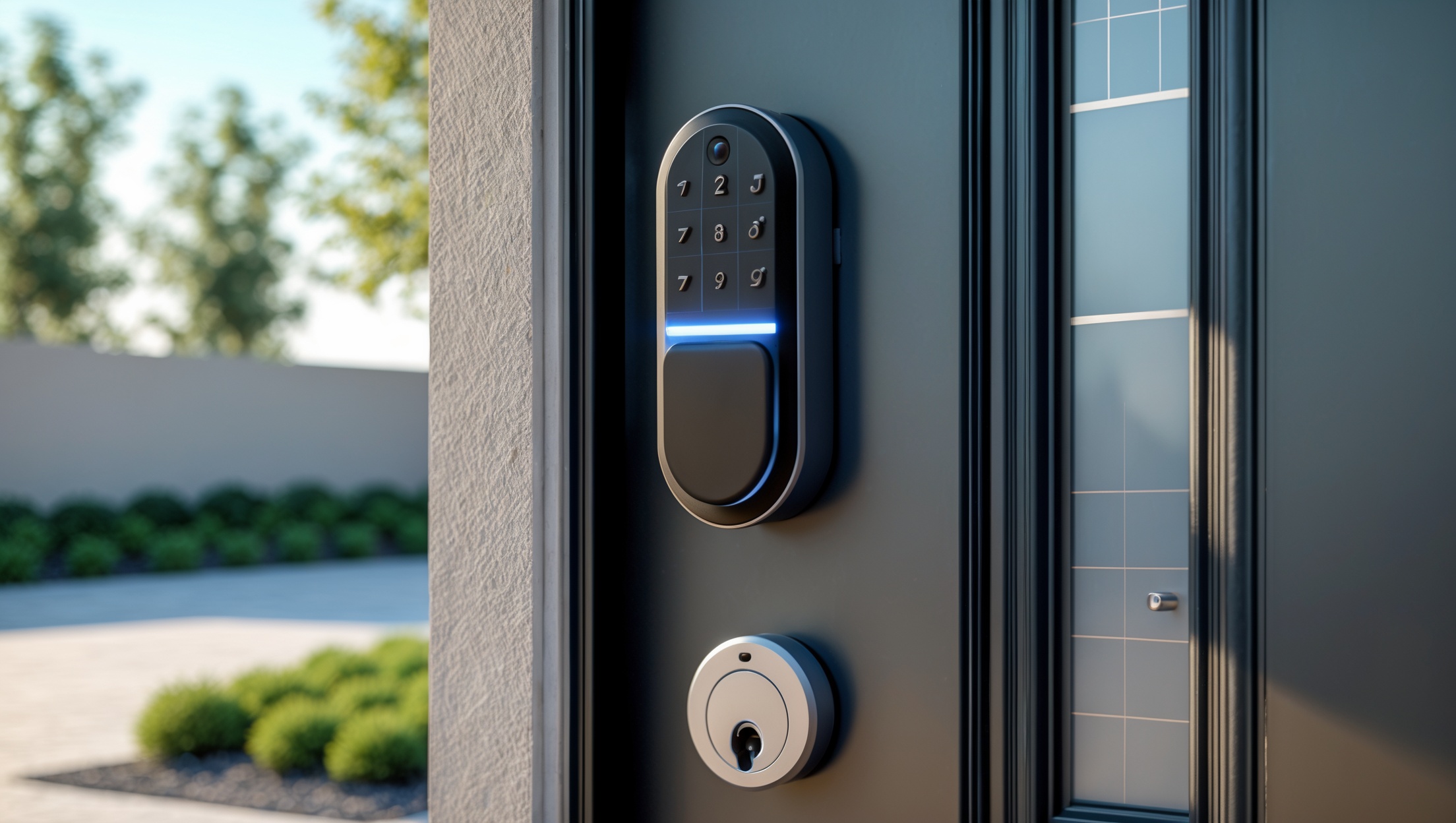
How to Set Up a Secure Smart Lock System in Rental Properties: Step-by-Step Guide and Maintenance Tips
Introduction: Why Smart Locks Are Transforming Rental Property Security
Smart lock technology is rapidly reshaping the way rental property owners and managers approach security, convenience, and tenant satisfaction. Unlike traditional locks, smart locks offer keyless entry, remote access, audit trails, and integration with property management systems. For landlords, this means streamlined turnovers, fewer lockouts, and enhanced control over property access—even from miles away. Tenants, on the other hand, benefit from improved safety, flexibility, and the peace of mind that comes with modern security features.
However, successfully implementing a smart lock system in a rental property is more complex than ordering a device online and installing it on your front door. Landlords must navigate hardware compatibility, Wi-Fi requirements, legal and privacy considerations, tenant communication, and ongoing maintenance to ensure the system remains reliable and secure. This comprehensive step-by-step guide will walk you through choosing the right smart lock, preparing your property, handling installation, configuring access for tenants, and maintaining your smart lock system—while avoiding common pitfalls that could compromise your property’s security or tenant trust.
Choosing the Right Smart Lock for Your Rental Property
Assessing Your Door and Existing Hardware
Before investing in a smart lock, evaluate the existing doors and locks on your property. Not all smart locks are compatible with every type of door. Check the following:
- Door thickness and backset: Most smart locks require standard residential door sizes—typically 1 3/8″ to 2″ thick—with a standard backset.
- Deadbolt type: Some smart locks replace the entire deadbolt, while others retrofit to your current one. Make sure your current setup is compatible with your chosen device.
- Wi-Fi/Bluetooth/Z-Wave compatibility: Determine what wireless technologies are supported in your building. Wi-Fi locks are common, but some require a hub for Z-Wave or Zigbee connections.
Key Features to Look For
- Remote access: Enables you to grant or revoke access codes remotely, ideal for tenant turnovers and emergency maintenance.
- Audit trail: Provides a record of who accessed the property and when.
- Code management: Ability to create, schedule, and delete multiple access codes for tenants, cleaners, and contractors.
- Physical key backup: Retain a traditional key option for emergencies.
- Battery life and notifications: Look for models that provide low-battery alerts and easy battery replacement.
- Integration: Can the lock connect with your property management platform or smart home ecosystem?
- ANSI/BHMA certification: Indicates tested security standards.
Popular Smart Lock Brands and Models
- August Wi-Fi Smart Lock: Retrofits existing deadbolts, app control, excellent code management.
- Schlage Encode: Built-in Wi-Fi, robust hardware, integrates with many platforms.
- Yale Assure Lock SL: Sleek design, touchscreen keypad, versatile integrations.
- Kwikset Halo: Built-in Wi-Fi, traditional key backup, simple app.
Compare features, warranty, and reviews to choose the best fit for your property portfolio and budget.
Preparing Your Property for Smart Lock Installation
Legal and Compliance Considerations
Before installation, review local landlord-tenant laws to ensure you’re compliant with regulations involving electronic locks. Some jurisdictions require you to provide tenants with physical keys or written notice of changes to access methods. Consider:
- Notification requirements: Provide tenants advance notice of installation and instructions on how to use the new system.
- Backup access: Always maintain a way for tenants to enter if the smart lock system fails (e.g., battery dies).
- Privacy: Make clear how audit trails are stored and used, and respect tenant privacy.
Network and Power Infrastructure
Most smart locks require a reliable Wi-Fi connection or, in some cases, a smart home hub. Checklist:
- Test Wi-Fi signal strength at the door location; use a Wi-Fi extender if needed.
- Ensure tenants are aware of any power requirements or battery replacement schedules.
- If using a hub (Z-Wave/Zigbee), install it in a secure, central location.
Step-by-Step Smart Lock Installation Guide
1. Gather Tools and Materials
- Smart lock kit (including mounting hardware and batteries)
- Screwdriver (often Phillips-head)
- Drill (if modifying door)
- Measuring tape
- Level
- Smartphone with lock app downloaded
2. Remove Existing Lock or Deadbolt
Carefully unscrew and remove the old lock or deadbolt. Keep screws and any usable hardware as backups.
3. Install the Smart Lock Hardware
- Follow manufacturer instructions for positioning and attaching internal and external lock components.
- Use a level to ensure keypad or exterior plate is straight.
- If the lock doesn’t fit, check door measurements and adjust as needed.
- Insert batteries as instructed; confirm that indicator lights or sounds activate.
4. Connect to Wi-Fi or Home Automation Hub
Download the lock’s app, create an account, and follow prompts to connect the lock to your Wi-Fi or hub. Test the connection by locking and unlocking via the app.
5. Set Up Access Codes and User Permissions
- Create a unique code for each tenant, cleaner, or contractor who needs access.
- Schedule codes to activate or expire at specific times (e.g., during turnovers).
- Create a master code for yourself or property management.
- Document all codes and permissions in a secure, encrypted file.
6. Test All Functions
- Lock and unlock using the keypad, app, and (if available) physical key.
- Confirm that codes work and that access logs are properly recorded.
- Check battery indicator and Wi-Fi connection stability.
- Simulate a battery failure to ensure backup procedures work.
Configuring Smart Locks for Tenant Turnover and Remote Management
Best Practices for Tenant Code Management
- Delete previous tenant codes immediately after move-out.
- Issue new codes prior to move-in, and provide clear instructions for use.
- Set expiration dates for temporary codes (e.g., for cleaners or contractors).
Remote Access and Emergency Protocols
- Ensure property managers or trusted agents have admin access in case of emergency.
- Use app notifications to monitor failed entry attempts or unusual activity.
- Train tenants on what to do if they are locked out or if the lock malfunctions.
Integrating with Property Management Systems
Many smart locks integrate with property management software, allowing automatic code generation and streamlined record-keeping. Evaluate integration options during your selection process, and test workflows before tenant move-in.
Maintaining Your Smart Lock System
Routine Maintenance Tasks
- Replace batteries every 6–12 months, or as indicated by low-battery alerts.
- Clean keypads and sensors with a soft, dry cloth to prevent malfunction.
- Check firmware and app updates regularly for security patches.
- Inspect physical lock components for signs of wear or tampering.
Troubleshooting Common Issues
- Connectivity loss: Reboot the lock, router, or hub. Check Wi-Fi signal strength.
- Unresponsive keypad: Replace batteries and clean contacts; check for firmware updates.
- App errors: Log out and back in, update the app, or reinstall if necessary.
- Jammed lock: Lubricate internal mechanisms, and verify alignment of lock hardware.
Security Best Practices
- Use strong, randomized access codes—avoid birthdays or easily guessed numbers.
- Regularly audit access logs for unauthorized attempts.
- Educate tenants not to share codes with unapproved individuals.
- Reset lock to factory settings before each new tenancy.
Costs and Budgeting for Smart Lock Implementation
Upfront and Ongoing Costs
- Smart lock purchase: $120–$300 per lock, depending on features and brand.
- Professional installation: $60–$150 per unit, if you opt not to DIY.
- Wi-Fi extenders/hubs: $30–$100, as needed for connectivity.
- Batteries: $8–$20 per year per lock.
- Software subscriptions: Some systems charge $5–$15/month for advanced code management or integration.
Budgeting Tips
- Factor in both hardware and software costs when evaluating ROI.
- Consider bulk purchase discounts for multi-unit properties.
- Compare cost savings from reduced lockout fees, rekeying, and administrative overhead.
Tenant Communication and Training
Effective Onboarding
- Provide tenants with a printed and digital guide to using the smart lock.
- Demonstrate lock operation during move-in inspections.
- Share contact info for support in case of lock issues.
Addressing Privacy and Security Concerns
- Explain what data is collected (e.g., access logs), how it is stored, and who can view it.
- Assure tenants that you will not access the property without proper notice, in compliance with local laws.
- Be transparent about backup access methods and emergency protocols.
Common Mistakes to Avoid When Implementing Smart Locks
- Failing to confirm door compatibility before purchase.
- Neglecting to provide backup access (physical key or emergency code).
- Overlooking Wi-Fi reliability at the installation site.
- Reusing codes between tenants or failing to delete old ones.
- Ignoring firmware updates, leaving systems vulnerable to security flaws.
- Poor tenant communication, resulting in confusion or resistance.
Conclusion: Maximizing Security and Efficiency with Smart Lock Systems
Smart locks can be a game-changer for rental property owners and managers, offering a combination of security, convenience, and operational efficiency that traditional locks simply can’t match. By allowing remote access management, streamlined turnovers, and detailed audit trails, smart lock systems help protect your investment while enhancing the tenant experience. However, realizing these benefits requires careful planning, from choosing the right hardware and ensuring legal compliance to configuring codes, maintaining the system, and training tenants for smooth adoption.
Be sure to budget for both the upfront and ongoing costs, and integrate smart locks with your property management workflows for maximum impact. Don’t overlook the importance of tenant communication—clear onboarding, privacy transparency, and responsive support are crucial to fostering trust and minimizing issues. Finally, regular maintenance and security audits will safeguard your system against evolving threats, ensuring your rental property remains both secure and competitive in an increasingly tech-driven market.
By following the steps and best practices outlined in this guide, you can unlock the full potential of smart lock technology and set a new standard for security and convenience in your rental properties.
2 thoughts on “How to Set Up a Secure Smart Lock System in Rental Properties: Step-by-Step Guide and Maintenance Tips”
Leave a Reply


When evaluating smart locks for a rental, how can I tell if my existing door hardware meets the required thickness and backset without hiring a locksmith first?
You can check your door’s compatibility by measuring the thickness of the door with a simple tape measure—most smart locks fit doors between 1 3/8″ and 2″ thick. For the backset, measure from the edge of the door to the center of the hole where the lock sits, usually 2 3/8″ or 2 3/4″. These quick measurements can be done without special tools or professional help.