

Rental Property Security Systems: Cost, Compliance, and Smart Upgrade Strategies
Introduction: Why Security Systems Matter for Rental Properties
In today’s real estate landscape, security is a top priority for both landlords and tenants. Whether you manage single-family homes, multifamily units, or vacation rentals, installing the right security system can safeguard your investment, attract quality tenants, and even reduce your insurance premiums. However, navigating the process involves more than just picking out a few cameras and sensors—landlords must contend with budget constraints, legal compliance, privacy concerns, and rapidly evolving technology. The right approach blends smart budgeting, legal due diligence, and a clear understanding of your property’s unique vulnerabilities. This comprehensive guide explores the real-world costs of rental property security systems, the compliance and privacy considerations you can’t afford to overlook, and how to upgrade your property with the latest tech to achieve the best return on investment. Whether you’re a first-time landlord or an experienced investor looking to optimize your security strategy, you’ll find actionable steps and expert insights to protect your property and provide peace of mind to your tenants.
Understanding Security System Options for Rental Properties
Basic Alarm Systems
Traditional alarm systems typically include door/window sensors and a central control panel. These systems alert you—and sometimes emergency services—when unauthorized entry is detected. Basic packages are affordable and easy to install, making them a practical starting point for small rental properties.
Smart Security Solutions
Modern security systems often feature smart technology, such as Wi-Fi-enabled cameras, motion sensors, and remotely managed door locks. These systems offer real-time alerts, mobile app control, and cloud storage. They’re particularly popular with tech-savvy tenants and can add perceived value to your rental.
Video Surveillance Systems
Security cameras (CCTV or IP-based) provide continuous monitoring of common areas, entrances, and perimeters. Footage can be stored locally or in the cloud, providing valuable evidence in the event of a break-in or dispute. High-definition and night-vision capabilities are now standard in many mid-range systems.
Integrated Access Control
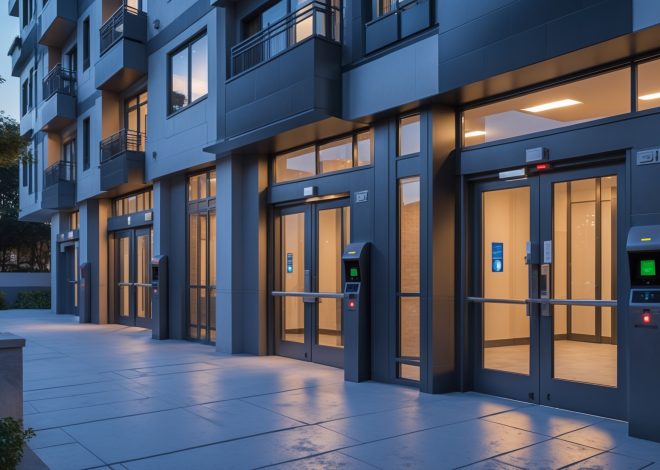
For multifamily properties or rentals with gated entries, integrated access control systems provide secure, trackable entry via keycards, fobs, or mobile apps. These systems can be scaled to fit small duplexes or large apartment complexes and offer enhanced convenience for both landlords and tenants.
Environmental Sensors
Security isn’t limited to intrusion detection. Environmental sensors (for smoke, carbon monoxide, water leaks, and temperature) can prevent costly damage and support compliance with safety regulations. Many modern systems integrate these sensors for comprehensive property protection.
Cost Breakdown: Budgeting for Installation and Ongoing Expenses
Initial Equipment and Installation Costs
- Basic DIY Systems: $150–$400 per unit. Simple kits with door/window sensors and a hub. Installation can be completed by the landlord, saving on labor.
- Professional Systems: $600–$2,000+ per unit. Includes higher-grade hardware, professional installation, and advanced features like video surveillance.
- Smart Devices: Smart cameras ($70–$250 each), smart door locks ($100–$300 each), and environmental sensors ($30–$100 each) can be added individually for customized setups.
Monitoring Fees
- Self-Monitoring: Free or included with purchase. The landlord or tenant receives alerts via app and is responsible for contacting authorities.
- Professional Monitoring: $10–$50 per month per unit. 24/7 monitoring by a central station, with automatic dispatch to emergency services if needed.
Maintenance and Upgrade Costs
- Plan for annual battery replacements ($10–$50).
- Cloud storage for video footage may cost $3–$15/month per camera.
- Hardware upgrades every 5–7 years to stay current with evolving technology.
Insurance Discounts
Installing approved security systems may qualify landlords for insurance premium reductions of 5–20%. Check with your insurer for specific requirements.
Legal Compliance and Privacy: What Landlords Must Know
Tenant Consent and Notification
Landlords must inform tenants about the presence, type, and coverage of security systems, especially video surveillance. Written disclosure is recommended as part of the lease agreement. In some jurisdictions, tenant consent is legally required before installation.
Camera Placement: Public vs. Private Areas
It is generally legal to install cameras in shared or exterior spaces (entryways, parking lots, hallways). However, cameras cannot be placed in private areas such as inside the tenant’s rented unit, bedrooms, bathrooms, or any space where there is a reasonable expectation of privacy.
Audio Recording Laws
Audio surveillance is subject to stricter federal and state laws than video. Many states require all-party consent to record audio. Disable audio recording features unless you have explicit, documented consent from all parties.
Data Protection and Access
Landlords are responsible for the security of any video or data collected, including storing footage securely and limiting access to authorized individuals. Clearly outline who can access recordings and under what circumstances.
Local Ordinances and State Laws
Security system regulations vary by state and municipality. Some cities require permits for alarm systems, registration of cameras, or compliance with specific technology standards. Always check local requirements before installation.
Choosing the Right System for Your Rental Property
Single-Family Homes
- Prioritize perimeter security: door/window sensors, smart locks, and exterior cameras.
- Consider systems with mobile app integration for easy management between tenants.
- Install environmental sensors to detect smoke, carbon monoxide, or water leaks.
Multifamily Properties
- Implement access control at building entrances and in shared areas (lobbies, laundry rooms).
- Install cameras in common spaces but avoid individual units or windows facing private areas.
- Centralized monitoring can be more cost-effective for properties with multiple units.
Short-Term and Vacation Rentals
- Focus on smart locks for keyless guest entry and remote access management.
- Exterior cameras provide security and help resolve guest disputes.
- Clearly disclose any surveillance devices in your rental listing and house manual.
Step-by-Step Security Upgrade Process
1. Assess Vulnerabilities
Walk the property and identify all entry points, poorly lit areas, and locations where valuables are stored. Map out locations for sensors and cameras. Consult recent crime statistics for your neighborhood to tailor your approach.
2. Set Your Budget
Determine a realistic budget based on property size, neighborhood risk, and your investment goals. Factor in initial equipment costs, installation, monitoring, and ongoing maintenance. Remember to check for insurance discounts that may offset costs.
3. Research Local Laws
Check state and local regulations for permits, privacy rules, and landlord-tenant laws regarding surveillance. Contact your local police department or city hall for guidance if needed.
4. Select Vendors and Equipment
Compare reputable security companies and DIY solutions. Look for products with good reviews, long-term support, and compatibility with your preferred smart home platform (if any). Ask vendors about professional installation vs. DIY options.
5. Draft Lease Addenda and Disclosures
Prepare clear written notices for tenants outlining the type and location of security devices, data retention policies, and access procedures. Attach these to your lease agreement and have tenants sign for consent where required.
6. Installation
Follow manufacturer instructions or hire a licensed installer. Test all devices thoroughly. Document installation locations and system configurations for future reference and tenant questions.
7. Ongoing Management
Maintain a regular schedule for battery replacement, system updates, and equipment cleaning. Review camera angles and privacy compliance each time a new tenant moves in. Update disclosures if you add or move devices.
Maximizing ROI: Marketing, Insurance, and Tenant Retention
Highlight Security Features in Listings
Promote security systems in your rental advertisements. Phrases like “Smart home security included” or “24/7 monitored cameras in common areas” can attract safety-conscious tenants and justify premium rents.
Negotiate Insurance Premiums
Provide documentation of professionally installed, monitored security systems to your insurer. Ask about discounts for specific equipment (UL-listed alarms, monitored smoke detectors, etc.).
Tenant Education
Offer tenants a brief walkthrough of the security system upon move-in. Provide written instructions for using smart locks or alarm panels. Good communication helps tenants feel confident, reduces accidental false alarms, and enhances satisfaction.
Upgrade Strategically
Focus upgrades where they will have the most impact—front door locks, exterior lighting, and visible cameras. Avoid overinvesting in expensive systems for lower-risk properties. Reinvest savings from insurance discounts into further improvements.
Common Security System Mistakes Landlords Should Avoid
- Neglecting Legal Compliance: Failing to notify tenants or installing cameras in private areas can lead to lawsuits, fines, and loss of reputation.
- Overcomplicating Systems: Complex or unreliable technology frustrates tenants and leads to maintenance headaches.
- Underestimating Ongoing Costs: Skipping regular maintenance or failing to budget for cloud storage and monitoring fees can reduce system effectiveness over time.
- Ignoring Tenant Privacy Concerns: Always be transparent and responsive to questions about how data is collected and used.
- Relying Solely on Technology: Physical security measures (good locks, lighting, fences) remain vital components of a comprehensive safety strategy.
Conclusion: Building Secure, Compliant, and Profitable Rentals
Investing in the right security system for your rental property is a multifaceted decision that pays dividends in both protection and tenant satisfaction. By carefully considering the unique needs of your property, complying with all relevant laws, and budgeting for both initial and ongoing costs, you position yourself as a responsible, forward-thinking landlord. Security upgrades not only reduce the risk of break-ins or damage but can also make your properties more attractive in a competitive rental market, help you qualify for insurance discounts, and foster long-term tenant retention. Remember that the best systems are those that balance robust protection with respect for tenant privacy and usability. Avoid common pitfalls by keeping communication transparent, selecting reliable technology, and staying informed about evolving legal requirements. As the landscape of real estate security continues to evolve, proactive landlords who prioritize safety and compliance will see the greatest return on their investment—not just in reduced risk, but in higher rents, lower turnover, and a reputation that attracts quality tenants. Start with a clear assessment, follow a structured process, and treat security as an ongoing commitment. In doing so, you’ll build safer, more profitable, and more resilient rental properties for years to come.
34 thoughts on “Rental Property Security Systems: Cost, Compliance, and Smart Upgrade Strategies”
Leave a Reply

I’m a landlord trying to upgrade to smart security solutions. How do I balance my tenants’ privacy rights with using Wi-Fi cameras or remote monitoring systems, especially in common areas versus inside the rental units?
When upgrading to smart security, it’s important to avoid installing cameras inside rental units, as this directly invades tenant privacy. In common areas, you can use Wi-Fi cameras, but always inform tenants in writing about their locations and purpose. Make sure cameras do not face private spaces like inside homes or windows. Also, regularly review local laws on surveillance to stay fully compliant and maintain trust with your tenants.
When adding video surveillance to my multifamily units, what steps do you recommend to ensure I’m fully compliant with both state and local laws? I want to avoid any surprises after investing in the equipment.
To ensure full compliance, start by researching your state’s laws and your city or county’s specific ordinances regarding video surveillance—these often regulate where cameras can be placed and tenant notification requirements. Always provide written notice to tenants before installing cameras in common areas, and avoid areas where privacy is expected, like inside units or in bathrooms. Consider consulting with a local attorney who specializes in landlord-tenant law to review your plans before installation. Keep detailed records of all notices and permissions for added protection.
If I were to start with a basic alarm system now but plan to upgrade to a more advanced smart or video system later, is there anything I should keep in mind to ensure my initial investment isn’t wasted?
When choosing a basic alarm system, look for models that are expandable or compatible with smart home ecosystems. It helps if the system supports add-ons like cameras or smart sensors, and can be controlled via an app. Also, consider systems that don’t require a long-term contract, so you can upgrade easily when you’re ready.
Could you clarify how insurance premium reductions typically work when you install a security system in a rental property? Are there specific features insurers look for, or does any basic alarm system usually qualify for a discount?
Insurance companies often offer premium reductions when you install a security system, but the discount usually depends on the type of system and its features. Insurers typically look for systems with professional monitoring, entry sensors, and sometimes smoke or CO2 detectors. Basic, unmonitored alarms might not always qualify for a discount. It’s best to check with your insurer to see which specific features they require to apply the discount.
If I upgrade my property with Wi-Fi-enabled cameras and smart locks, what are the main compliance issues I should be aware of so I avoid problems down the road?
When upgrading with Wi-Fi cameras and smart locks, you need to consider tenant privacy laws—cameras should never be placed in private areas like bedrooms or bathrooms. Always inform tenants in writing about any surveillance devices and their locations. For smart locks, ensure tenants have full access and control, and clarify how you’ll handle key codes or access data. Local laws may require additional disclosures or permissions, so check your state or municipal regulations before installing.
What’s the average installation time for setting up a smart security system in a rental property? I want to make sure I can upgrade before my next tenant moves in but wasn’t sure if it could be done in a weekend.
Most smart security systems for rental properties can be installed within 2 to 4 hours, especially if you choose wireless or DIY setups. This means you should easily be able to finish the installation in a single day or over a weekend, well before your new tenant arrives. If you’re hiring a professional, the process is usually just as quick, often completed in a few hours.
Could you elaborate on the specific legal compliance and privacy considerations landlords need to keep in mind when installing video surveillance systems in rental units? I want to make sure I stay within the law and respect tenant privacy, but still provide adequate security.
When installing video surveillance in rental properties, landlords should never place cameras inside tenants’ private living spaces (like bedrooms or bathrooms), as this violates privacy laws. Cameras are generally only permitted in common areas or entryways, and tenants should always be notified in writing about their presence. It’s also important to check both state and local laws, as some require tenant consent before installation. Always keep recordings secure and only use footage for security purposes, not monitoring daily activities.
When budgeting for a new security setup in a multifamily building, do you have recommendations on which features are usually most cost-effective? I’m worried about overspending on tech that tenants may not even use or want.
Focusing on essentials like secure entry systems (key fobs, smart locks), basic surveillance cameras in common areas, and adequate lighting usually gives the best return in multifamily buildings. These features boost safety and are generally valued by most tenants. Avoid overspending on high-end automation or advanced smart home integrations unless you know your tenants specifically want them. Start with basics and collect tenant feedback before adding more features.
If a landlord opts for Wi-Fi-enabled cameras and smart locks, what troubleshooting steps should be anticipated for tech support or connectivity issues, especially when tenants change frequently?
When landlords install Wi-Fi cameras and smart locks, common troubleshooting steps include ensuring stable Wi-Fi coverage throughout the property, regularly updating device firmware, and resetting devices between tenants. It’s also important to securely remove prior tenants’ access, reissue digital keys, and check that all smart devices are correctly paired with the current network after any changes. Documenting setup and reset procedures can make transitions smoother during frequent tenant changes.
For landlords on a tight budget, are basic alarm systems enough to help reduce insurance premiums, or do most insurance companies now require more advanced smart tech for discounts?
Basic alarm systems can often still qualify landlords for some insurance discounts, especially if they include monitored intrusion alarms. However, some insurers are starting to offer bigger discounts for properties with smart technology, like cameras or remote monitoring. It’s a good idea to check with your insurance provider to see which systems meet their requirements and what discounts are available for each level of security.
Since technology moves quickly, how often would you recommend landlords revisit or upgrade their existing security systems to stay current and maintain property value? Is there a clear sign that it’s time for an upgrade, other than obvious equipment failures?
It’s wise for landlords to review their security systems every 3 to 5 years. Even if equipment isn’t failing, visible aging, lack of support for modern features like mobile access, or new local security regulations are strong signs it’s time to consider upgrades. Also, if tenants request features common in newer systems, that’s a good prompt to reevaluate your setup.
Can you explain more about the process of upgrading from a basic alarm system to a smart security solution? Are there any compatibility issues I should watch out for or steps I can take to make the transition smoother?
Upgrading from a basic alarm system to a smart security solution usually involves replacing or integrating new devices like smart sensors, cameras, and control panels. Compatibility can be an issue, especially if your current system is wired or uses proprietary technology. To make the transition smoother, check if your existing equipment supports smart upgrades or works with common smart home platforms. It’s helpful to consult your security provider about integration options and plan for professional installation if needed to avoid wiring or connectivity problems.
For landlords who have older security setups, what would you suggest as the first steps to take when planning an upgrade to more modern, tech-driven systems while ensuring minimal disruption to current tenants?
Start by evaluating your current security system and identifying areas that need improvement, like outdated cameras or alarm systems. Consult with tenants about the upgrade plans and schedule work during convenient times to minimize disruption. Choose scalable, wireless options if possible, as they typically require less invasive installation. Finally, make sure the new system complies with privacy and local legal requirements.
What are the most common compliance issues landlords run into when installing surveillance cameras in rental properties, and are there ways to avoid violating tenant privacy?
The most common compliance issues involve respecting tenant privacy and following local laws on surveillance. Landlords often run into trouble by placing cameras inside living spaces or failing to notify tenants about camera installation. To avoid violations, always install cameras only in common areas like entrances or parking lots, clearly inform tenants in writing, and check local or state regulations beforehand. Never install cameras in private areas such as bedrooms or bathrooms.
The guide mentions that smart security upgrades can help reduce insurance premiums. Is there information on how much typical savings might be, or do insurance companies require specific types of systems to qualify?
The article notes that smart security upgrades can lead to lower insurance premiums, but it doesn’t specify exact savings since these can vary. Most insurance companies look for certain features like monitored alarms, smoke detectors, or smart locks. To find out typical savings and required systems, it’s best to check with your insurer, as discounts and requirements can differ widely by company and location.
I’m trying to balance cost and effectiveness for a small rental. Do you think it’s better to start with a basic alarm system and add smart features over time, or just invest in a full smart security setup from the start?
For a small rental, starting with a basic alarm system can be a practical approach, especially if you want to manage initial costs. You can always add smart features like cameras or remote controls later as your budget allows. This way, you keep upfront expenses lower but still have the flexibility to upgrade for better security and convenience in the future.
I noticed you mentioned that certain security upgrades can lower insurance premiums. Are there specific features or certifications insurance companies usually look for to qualify for these discounts on rental properties?
Insurance companies usually look for security features like monitored alarm systems, surveillance cameras, deadbolt locks, and smart smoke detectors when offering premium discounts. Certifications such as UL-listed or professionally installed systems can strengthen your case for discounts. It’s a good idea to check with your insurer about their specific requirements, as some may ask for proof of installation or monitoring contracts.